Duo MFA
In this article [jump to a section]:
What is Multifactor Authentication (MFA)?
Why do I need this?
How do I enroll in Duo?
How do I add/remove/change my Duo authentication device?
What if I don't want to install Duo mobile on my smartphone or use it as a multifactor method?
I'm traveling and don't have access to wifi or mobile data. How do I access a Duo protected app?
DUO Policy Change: App Required
Previously, you didn't need to install the DUO app on your smartphone, and could instead have DUO text or call you with a passcode. These methods are very susceptible to phishing attacks, and are actively exploited. These options will soon be removed.
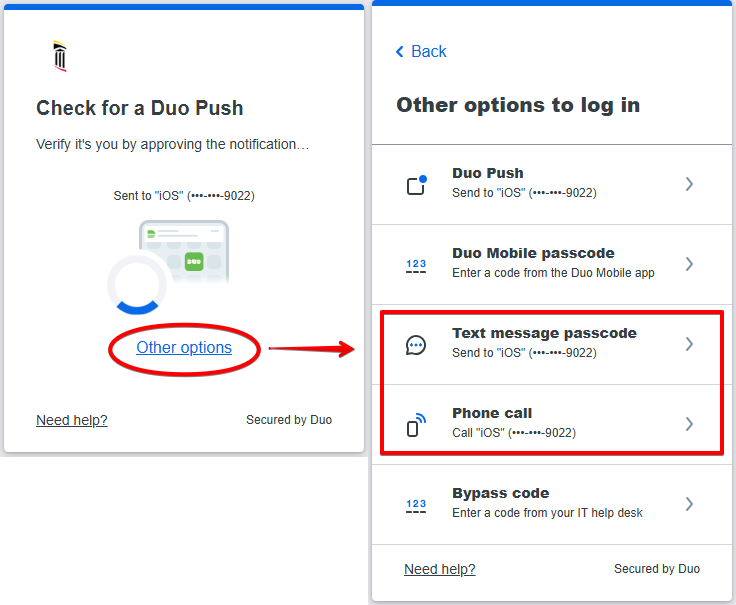
If you do not have the DUO app installed on your phone, you will need to install it. The only alternative is to use a hardware token.
DUO | Apple Store
DUO | Google Play Store
What is Multi-Factor Authentication?
 Multifactor authentication, or MFA, adds a second layer of security to your online accounts. Verifying your identity using multiple factors (like your phone or other mobile device) prevents anyone but you from logging in, even if they know your password. Previously this was referred to as Two-Factor Authentication, or 2FA.
How It Works:

- Enter username and password as usual
- Use your phone to verify your identity
- Securely logged in
Once you've enrolled in Duo you're ready to go: You'll login as usual with your username and password, and then use your device to verify that it's you.
Why Do I Need This?
Passwords are increasingly easy to compromise. They can often be stolen, guessed, or hacked — you might not even know someone is accessing your account.
Multifactor authentication adds a second layer of security, keeping your account secure even if your password is compromised. With Duo Push, you'll be alerted right away (on your phone) if someone is trying to log in as you.
This second factor of authentication is separate and independent from your username and password — DUO never sees your password.
Supported Devices:
Click your device to see the official DUO documentation:
How do I enroll in Duo?
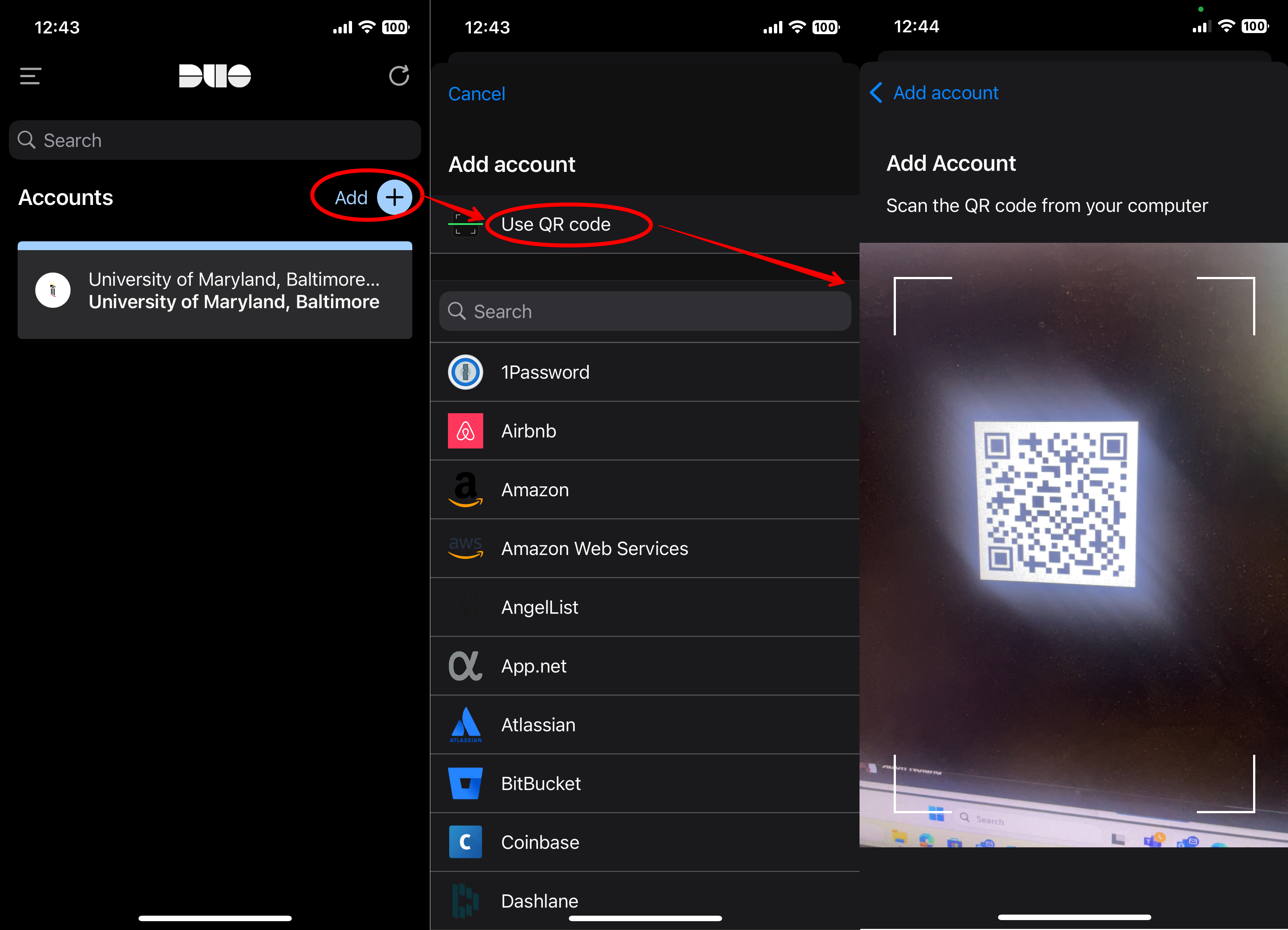
The first time you log into your account from off campus, you'll be prompted to enroll. Use a computer instead of your phone, since you'll need to scan a QR code. Install the DUO app on your smartphone or tablet.
DUO | Apple Store
DUO | Google Play Store
Open the DUO app, tap Add > Use QR Code > Scan the code.
Here's also a helpful video.
How do I add/remove/change my Duo authentication device?
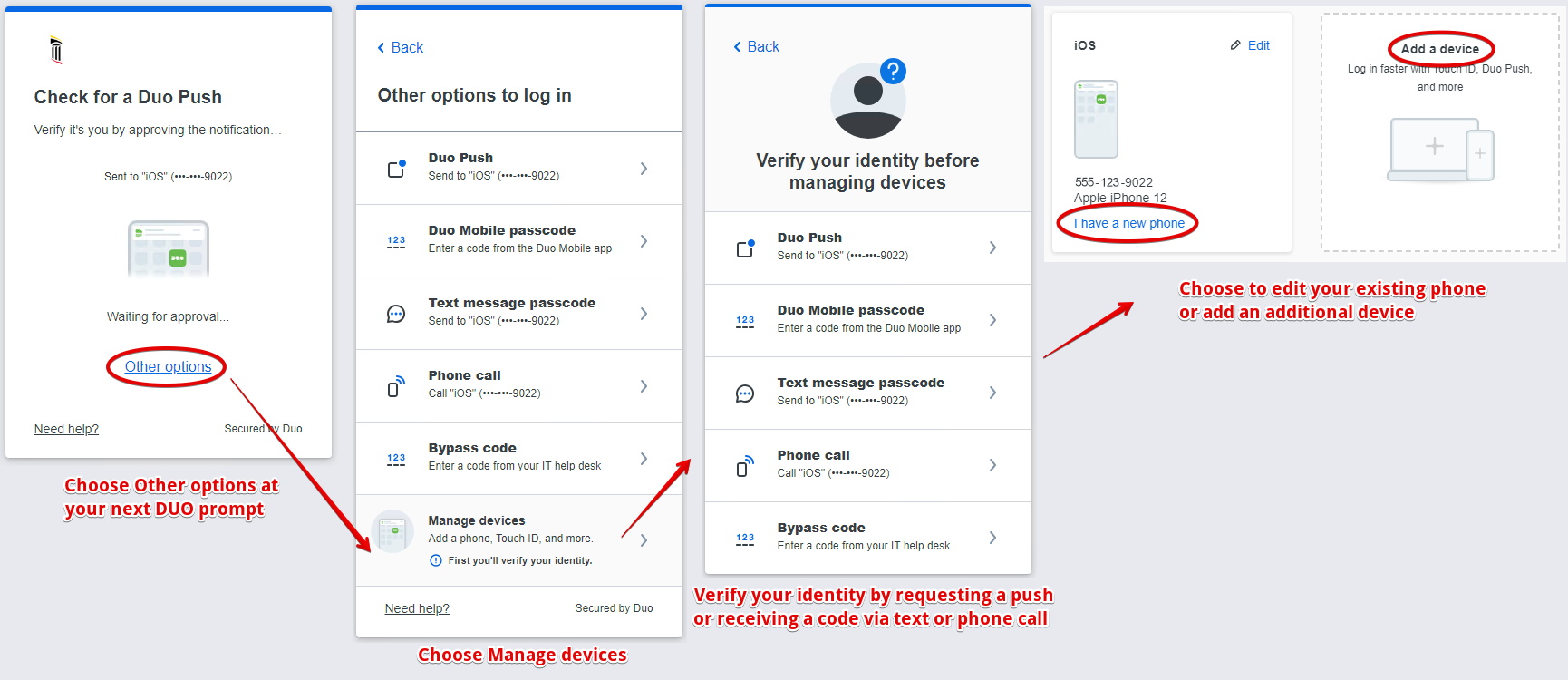
Upon your next Duo authentication, instead of authenticating, choose Other options. This will let you manage your devices.
What if I don't want to install Duo mobile on my smartphone or use it as a multifactor method?
Users can purchase a hardware token to access external services protected by Duo. Hardware tokens can be purchased by sending a request to iso-alert@som.umaryland.edu. Tokens cost $25 and will be charged back to the requesting department. They have a battery life of approximately 7 years and can be re-issued if necessary.
I'm traveling and don't have access to wifi or mobile data. How do I access a Duo protected app?
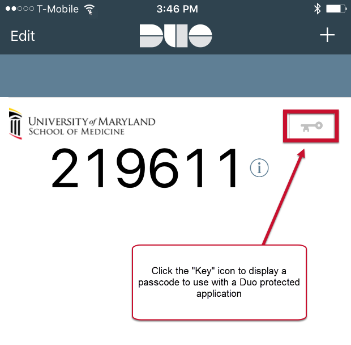
Duo Mobile has a built in feature that allows users to access duo protected apps when wifi/data isn't available on the registered mobile device . Simply open the app and click the "Key" icon. A 6 digit code will display that the user will use with the protected application. Have the user click "Enter a passcode" and enter that number