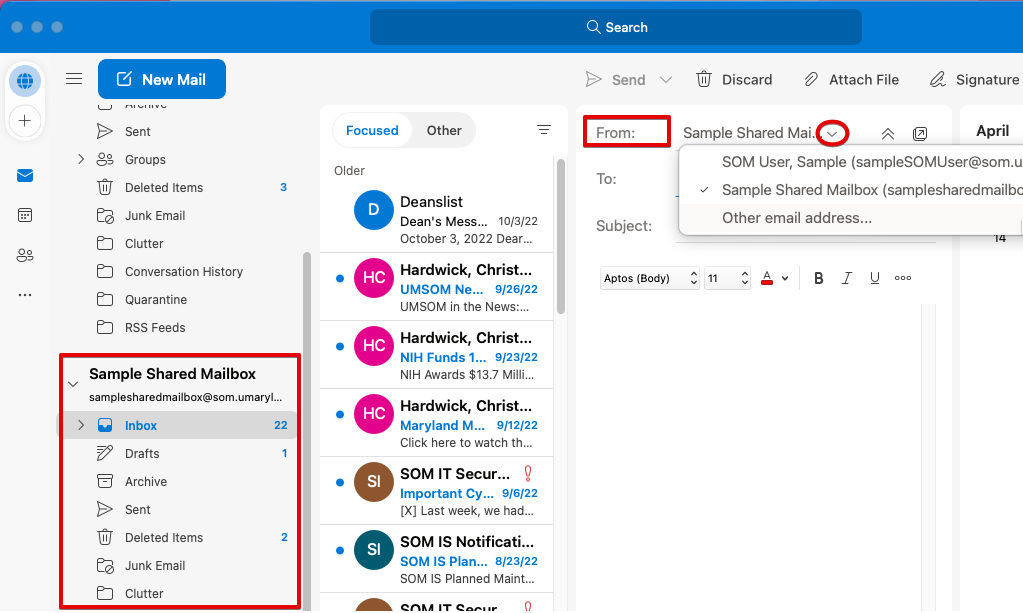
When you're granted access to a mailbox, it displays automatically in Outlook on a Windows device. That's not always the case if you're using a Mac. Don't worry, it's easy to add a mailbox! This process is identical whether you're accessing another user's mailbox or a shared mailbox.
I use Classic Outlook for Mac
I use New Outlook for Mac
How to tell:
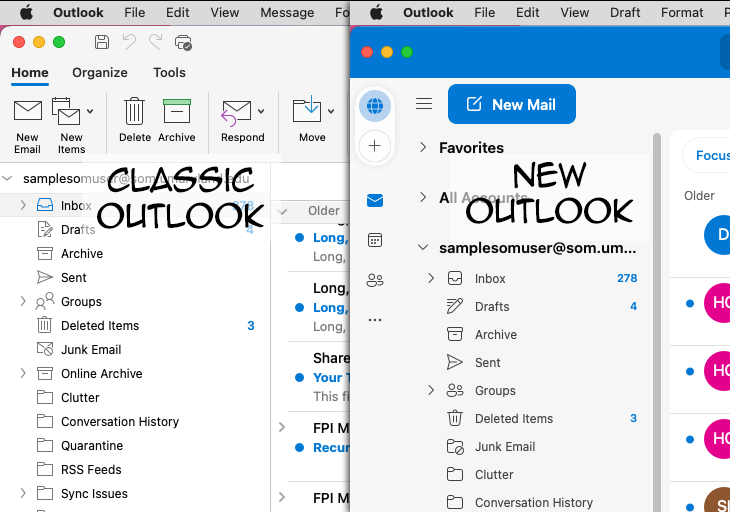
Classic Outlook for Mac
With Outlook open, click Outlook > Preferences and then Accounts.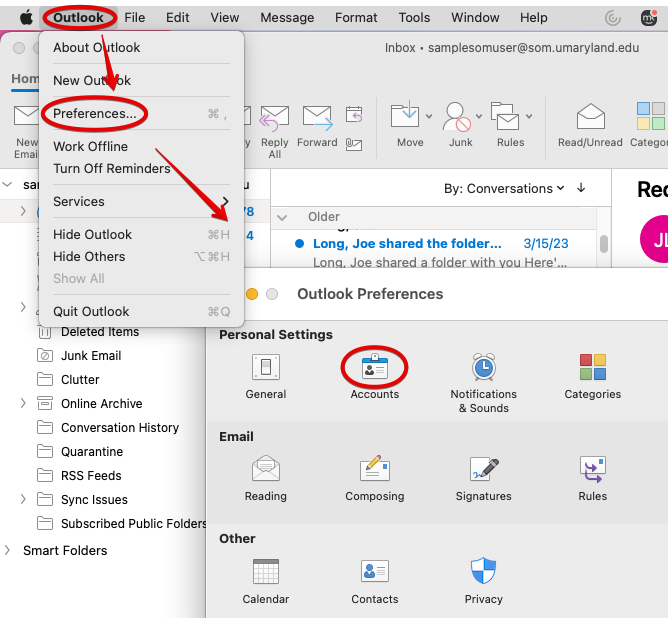
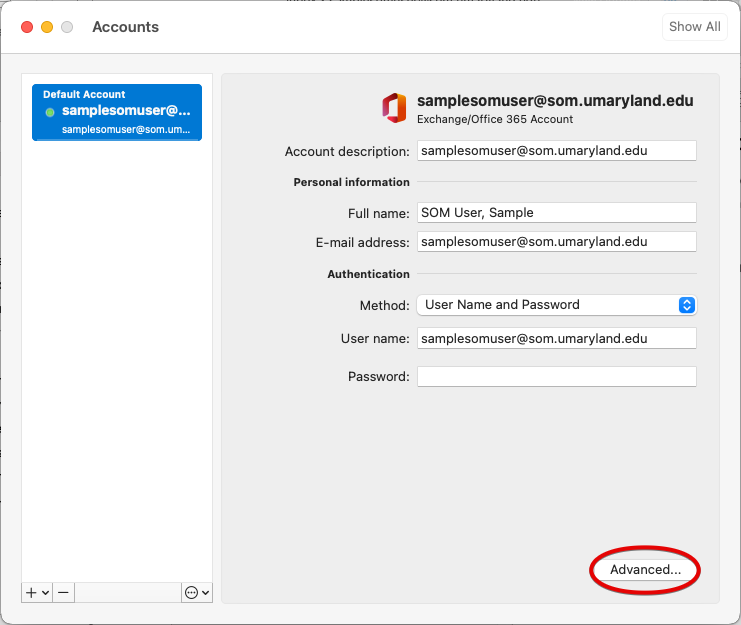
You might be tempted to click that + in the lower left hand corner, but you would use this to add additional accounts that you own. For example, if you also have a UMM mailbox or a UMB mailbox, you'd use that +. Instead, click Advanced.
Go to the Delegates tab and click the + under Open these additional mailboxes.
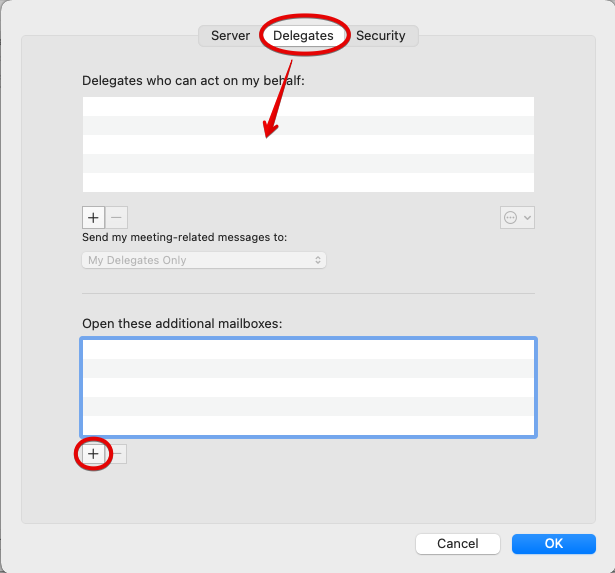
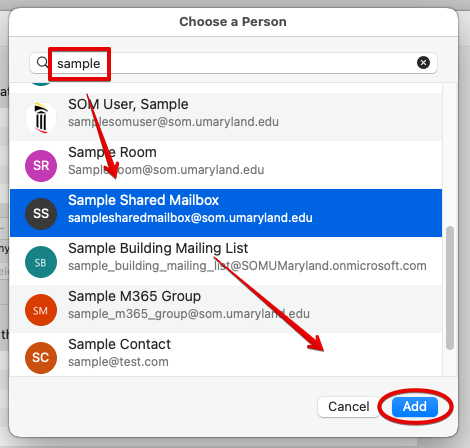
Start typing the name of the mailbox you're looking for. Select it and click Add.
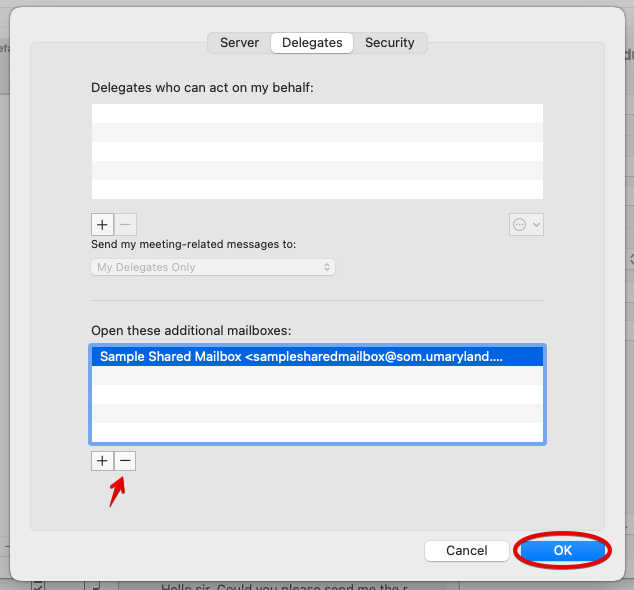
And it's in our list now! If you want to remove it at any time, go back here and click the -. But for now, just click OK.
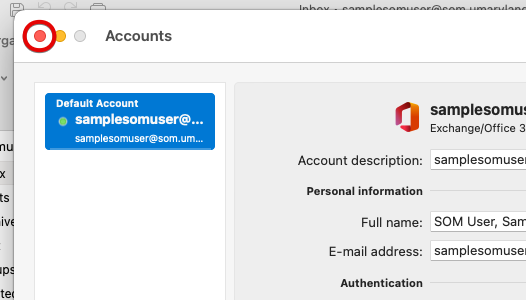
We're back at the Accounts page. Just close it.
It may take a few seconds, but the new mailbox should appear underneath your own mailbox.
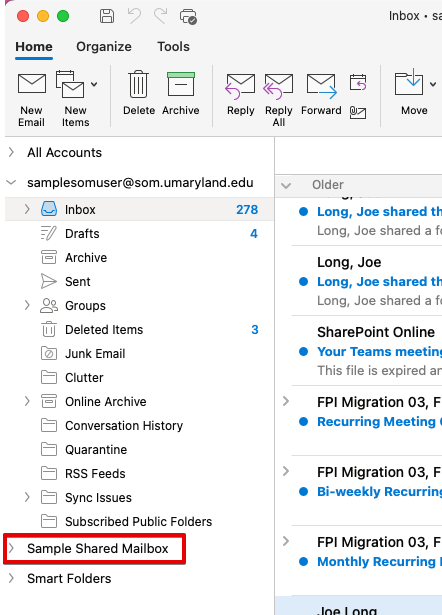
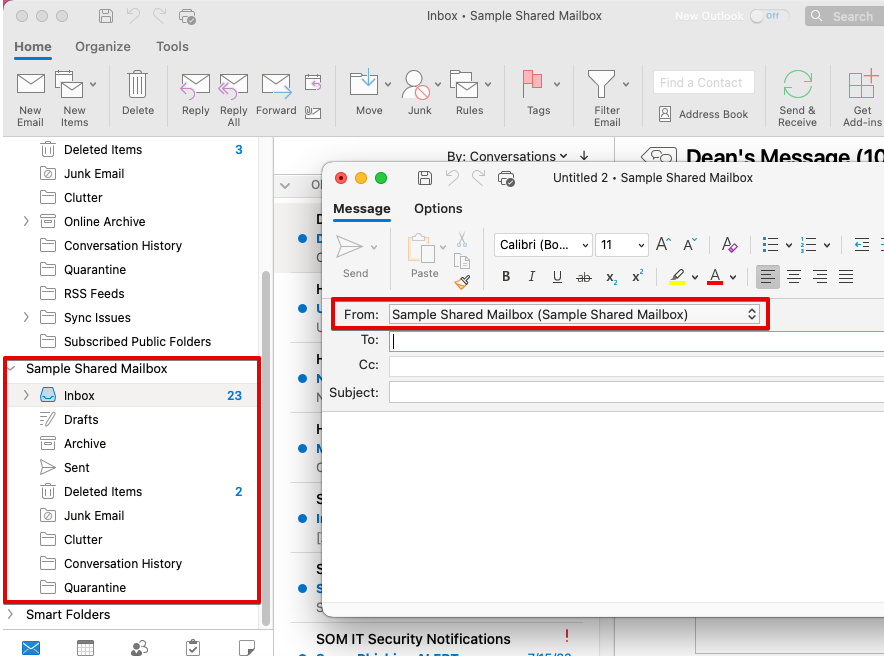
Click on the arrow to expand it. And that's it! If the mailbox does not expand, then you may not actually have access to this mailbox. Let the SOM helpdesk know and we'll look into it.
When drafting a new email, you'll now have a From: box, with which you can switch back and forth between sending as your mailbox and sending as this new mailbox.
New Outlook for Mac
With Outlook open, click Outlook > Preferences and then Accounts.
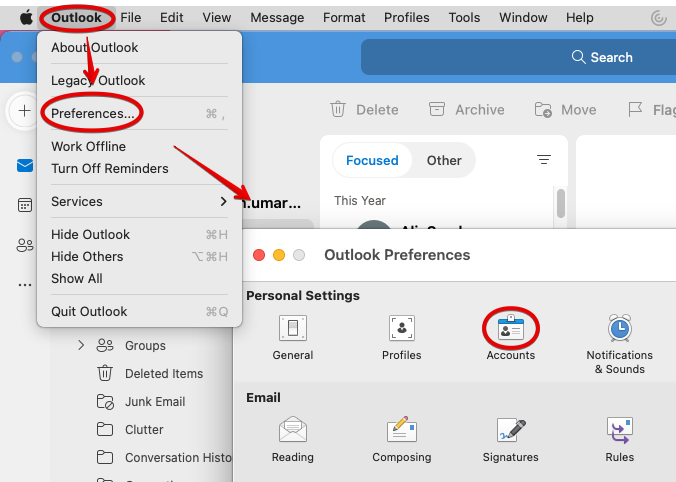
You might be tempted to click that + in the lower left hand corner, but you would use this to add additional accounts that you own. For example, if you also have a UMM mailbox or a UMB mailbox, you'd use that +. Instead, click Delegation and Sharing.
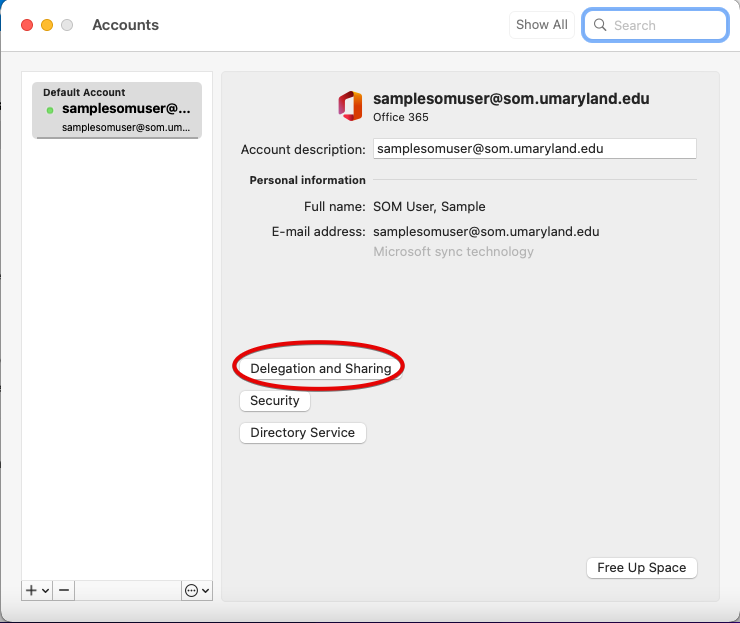
Click on the Shared With Me tab, and then the +.
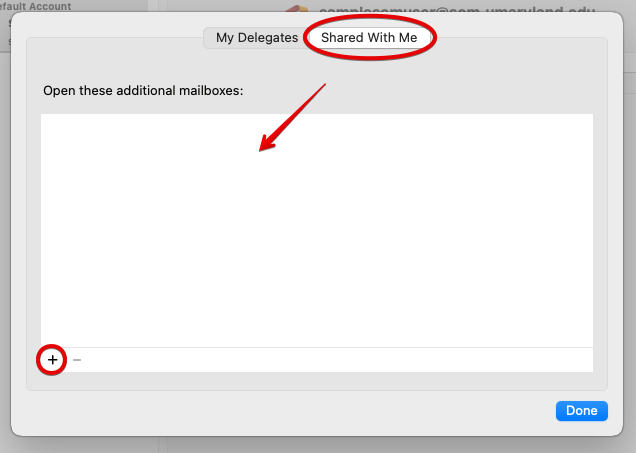
Start typing the name of the mailbox you're looking for. Click it and Add.
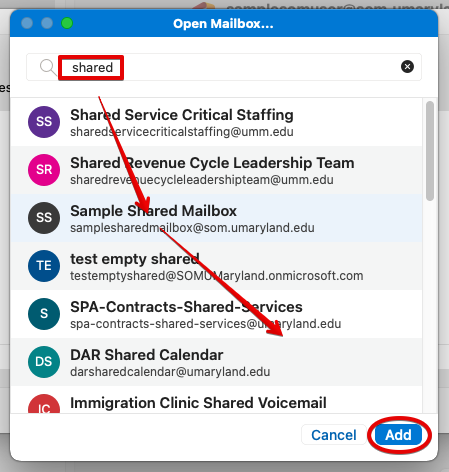
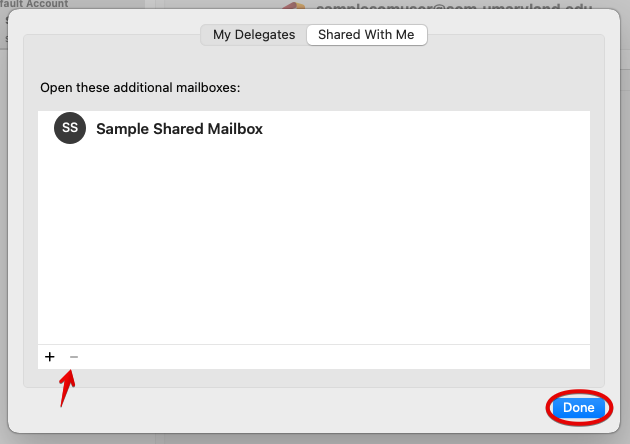
And it's in our list now! If you want to remove it at any time, go back here and click the -. But for now, just click OK.
We're back at the Accounts page. Just close it.
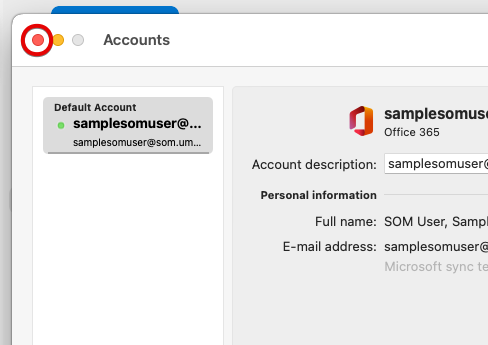
It may take a few seconds, but the new mailbox should appear underneath your own mailbox.
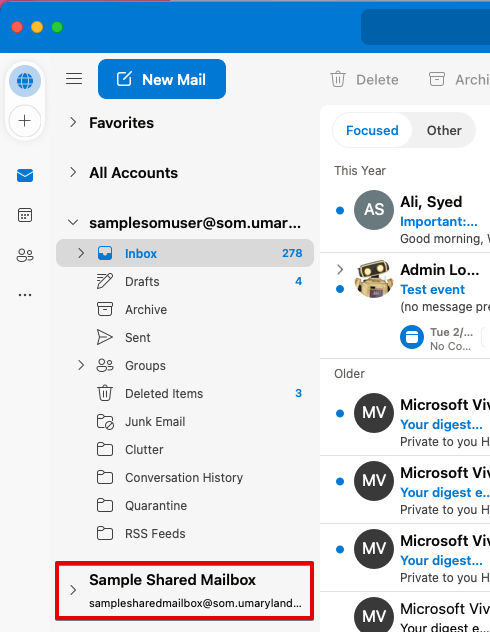
Click on the arrow to expand it. And that's it! If the mailbox does not expand, then you may not actually have access to this mailbox. Let the SOM helpdesk know and we'll look into it.
When drafting a new email, you'll now have a From: box, with which you can switch back and forth between sending as your mailbox and sending as this new mailbox.