
The following wireless networks are available for you to connect your laptop, desktop, mobile device, multifunction printer, etc.
eduroam
Eduroam is a secure, worldwide internet access service developed for the international research and education community. SOM faculty, staff, and students can connect to the eduroam wireless network while on this campus or on any other participating campus worldwide.
This network grants you access to the internet, Azure Virtual Desktop and M365 applications, but no campus resources.
Login with your SOM username (name@som.umaryland.edu) and your SOM password.
SOMEmp & IHVEmp
SOM or IHV employees can use this wireless network to gain access to the internet and campus resources.
Login with your SOM username (name@som.umaryland.edu) and your SOM password.
SOMStudent
SOM students can use this wireless network to gain access to the internet and campus resources.
Login with your SOM username (name@som.umaryland.edu) and your SOM password.
SOMGuest & IHVGuest
Campus visitors can use this wireless network to gain access to the internet, Azure Virtual Desktop and M365 applications, but no campus resources.
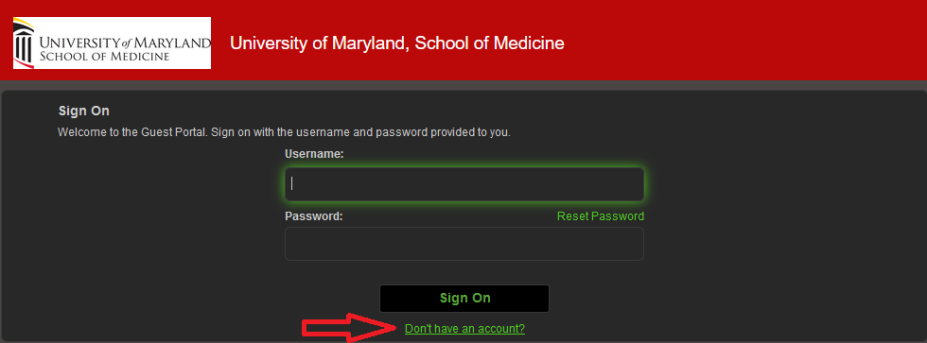
Upon connecting, users will be directed to a screen to Sign On after entering their account credentials, or they can click the Don't have an account? link to create a new guest account.
Here's a printable version of the SOMGuest login instructions: SOMGuest Self-Service Portal Instructions.pdf
Wireless Coverage
The University of Maryland School of Medicine Office of Information Services hosts SOM Wireless for use while on the UM Campus. Information Services will be adding wireless access points incrementally. If you would like to request coverage in a specific area, please send the location to our help desk, by phone at 6-3998, or email at help@som.umaryland.edu.