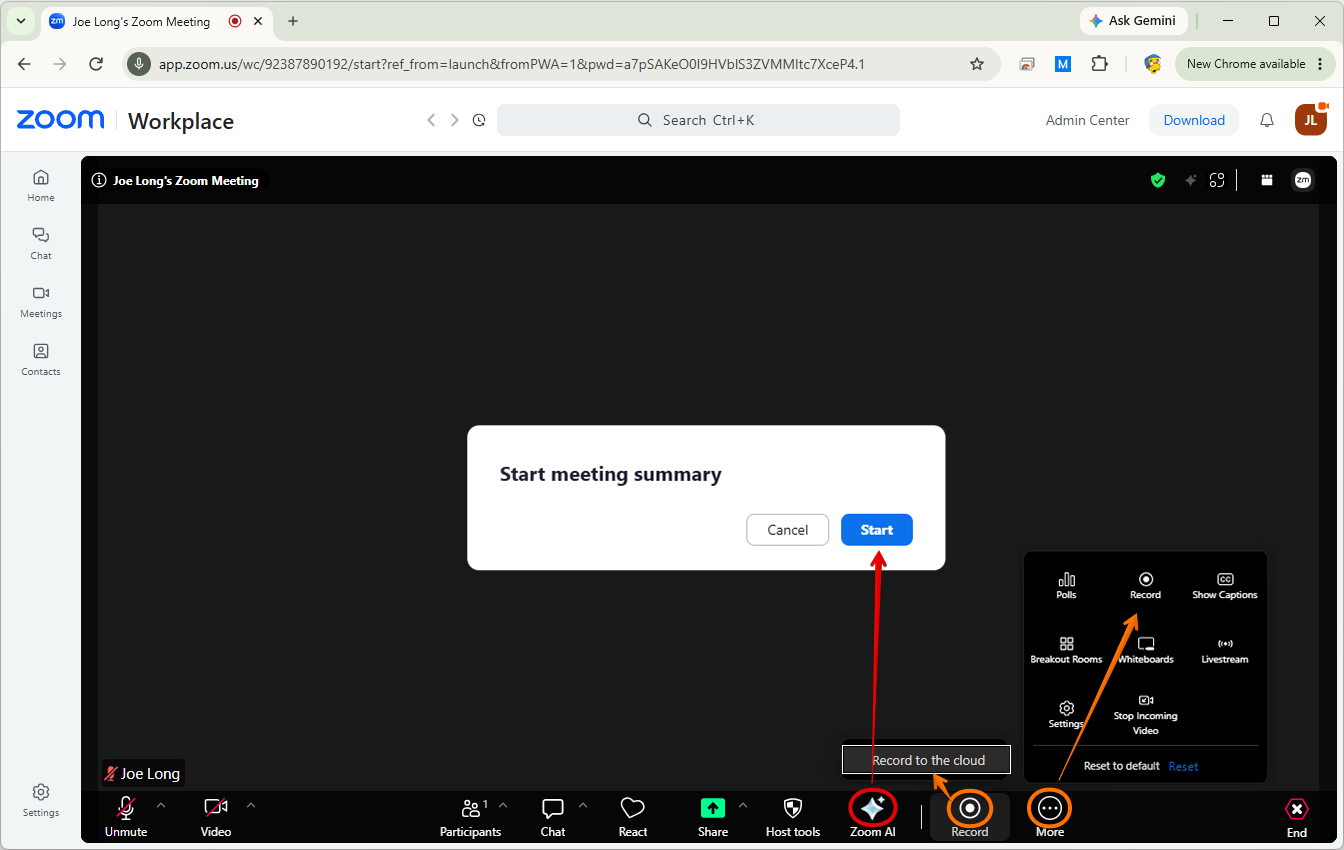
The ability to have AI and recording auto-start in Zoom has been disabled. This is due to privacy and security concerns. This is a campus policy and SOM cannot override it. When starting a Zoom meeting, be sure to get verbal acceptance from your attendees before turning on recording or the AI transcription service.
Be sure to check who receives a copy of an AI transcript. If all invitees is selected, they will receive a transcript of everything that happened in the call, even if they log off and the meeting continues without them.
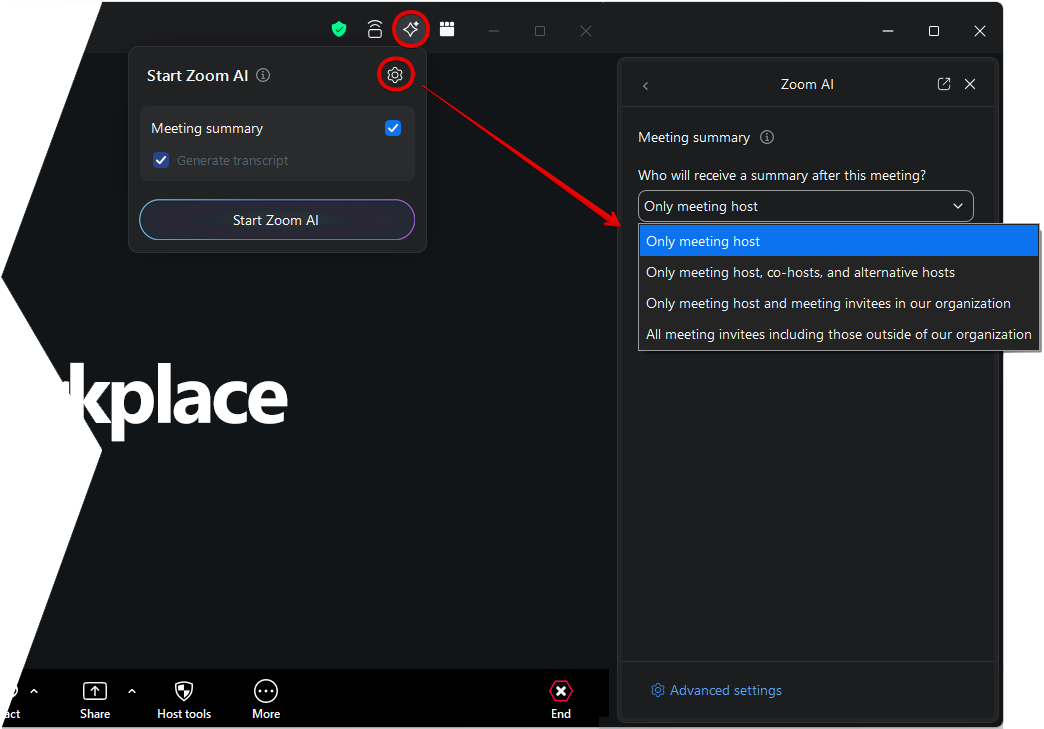
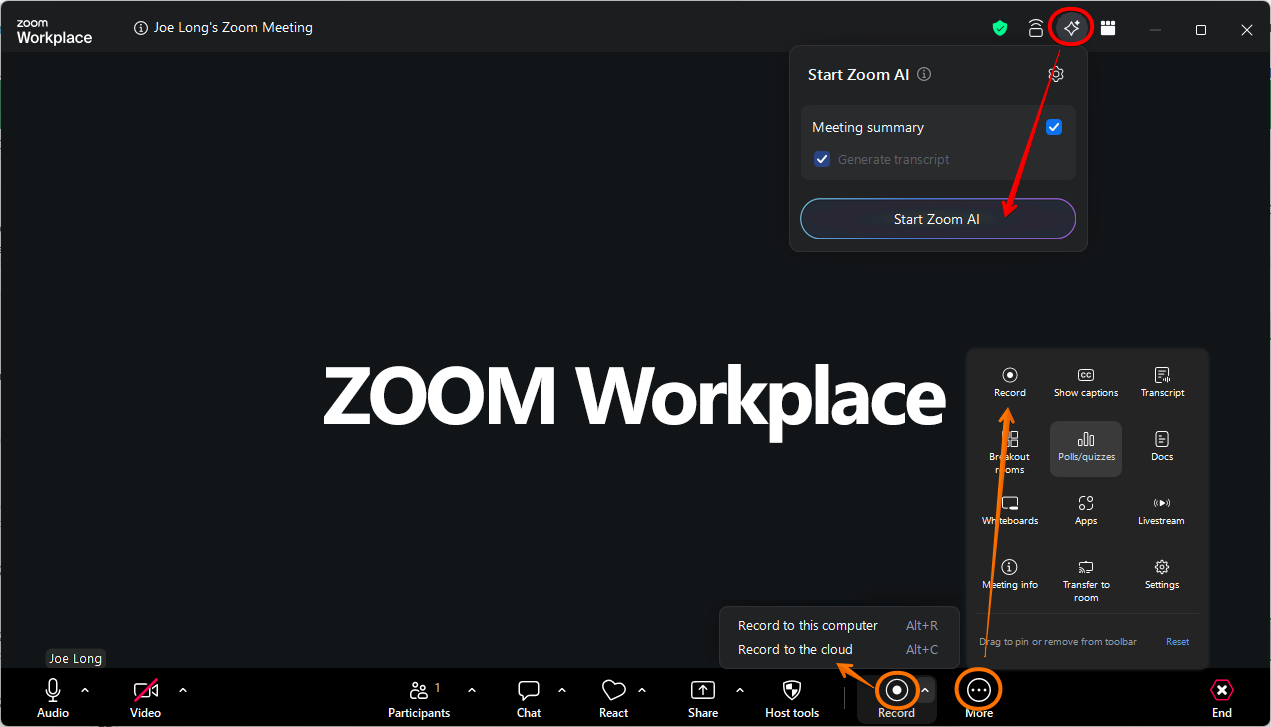
To enable Zoom AI after a call has started, click the AI icon (red).
To enable recording after a call has started, click the More button to see the Recording button. Now click Record and Record to the cloud (orange).
ZOOM Workplace:
Zoom in a web browser: