
If a user has left the University and you have requested access to their OneDrive, here's how to reach those files.
You'll be supplied a link, that will look like this:
https://somumaryland-my.sharepoint.com/personal/jdoe_som_umaryland_edu/
This link will only work for people who have been granted access to the OneDrive. From here, you can:
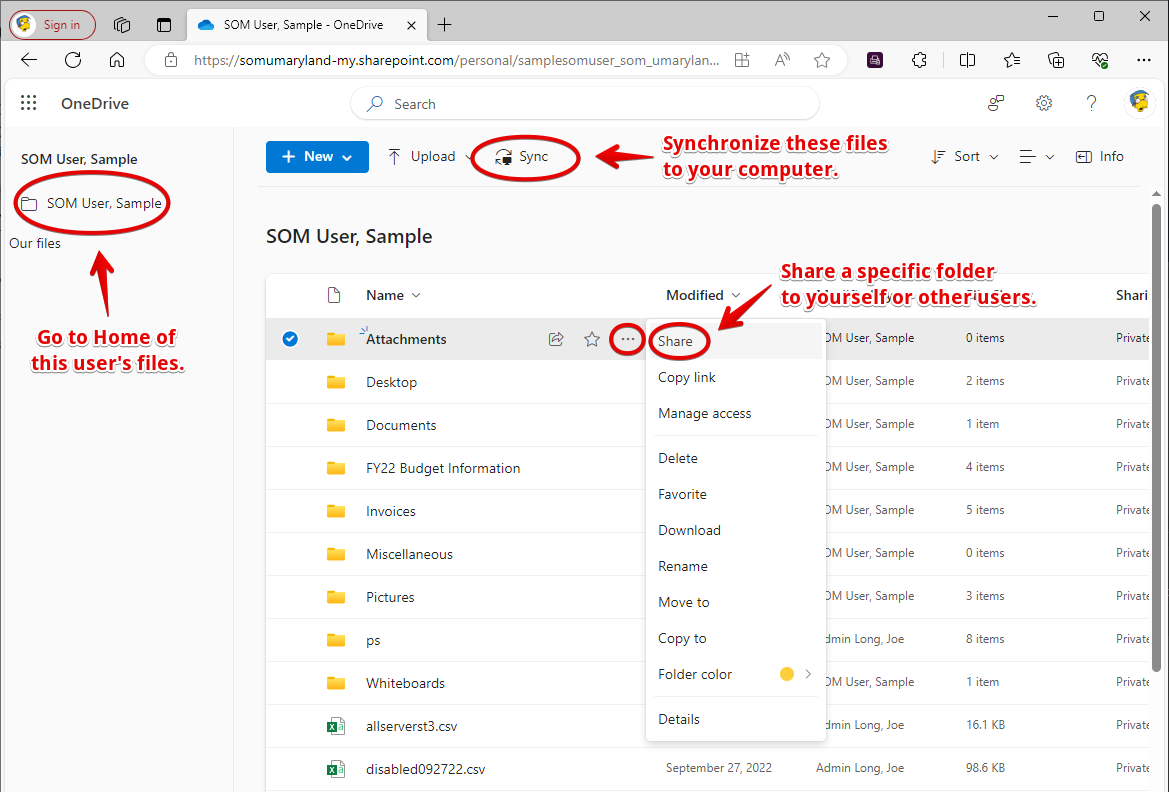
- Access and open the files in the web browser.
- Share a folder or folders to yourself and other people. This is helpful if other people on your team need to access specific information, but do not need access to the entire OneDrive. These folders will show up within those users' personal OneDrive. You cannot grant access to the entire OneDrive to someone else. Only SOMIS can do that.
- Sync the entire OneDrive to your computer, using the OneDrive Sync client.
Please keep in mind that these are the user's actual files, and not a copy, so you should refrain from deleting anything. If you do need something restored, or think that the user may have deleted sensitive information before leaving, contact SOM IS for an audit and restore of deleted files.
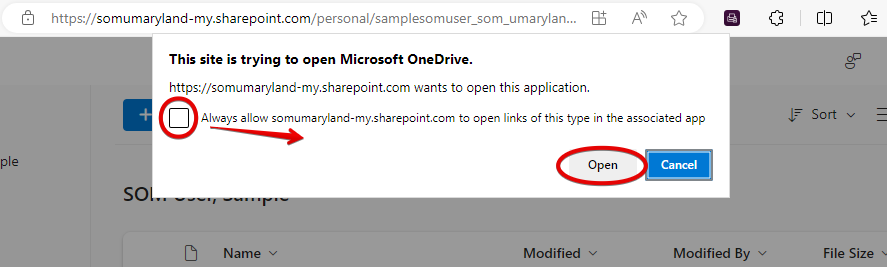
If you choose to Sync the files, you may receive this pop-up. Check the box and click Open.
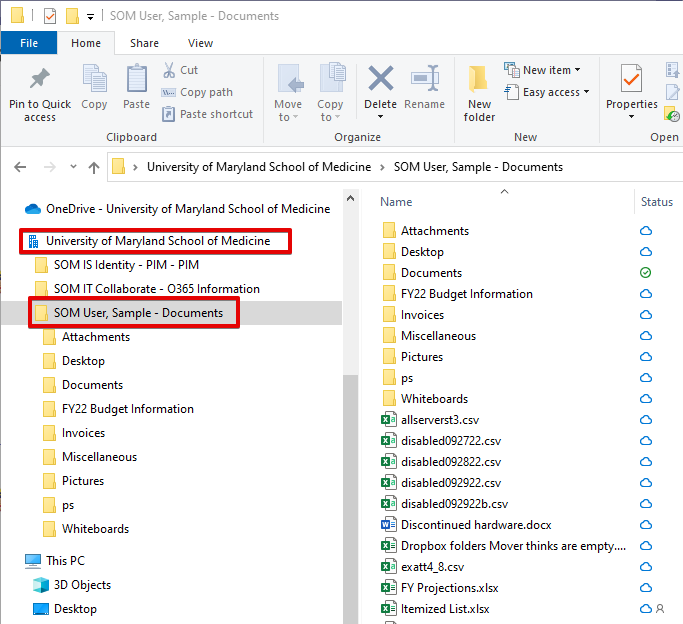
These files will appear in File Explorer under the heading University of Maryland School of Medicine, along with any other Teams or Groups that you've synced.
Related articles:
M365 File Storage: Understanding OneDrive, Teams & Sharepoint
OneDrive Sync Client: Understanding Cloud vs Local Files