University of Maryland School of Medicine logo
Medicine
All Departments
UMSOM Assistant
How do I request admin privileges on a Mac?
  • Home
  • Departments
  • Medicine
  • Information Systems
  • Frequently Asked Questions/Useful Information
  • How do I request admin privileges on a Mac?
  1. The Jamf Connect logo is in the top right corner of your Mac.
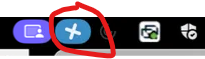
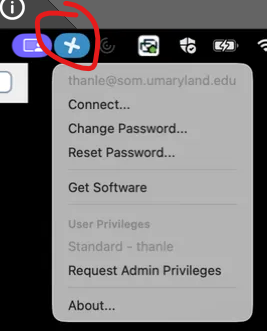
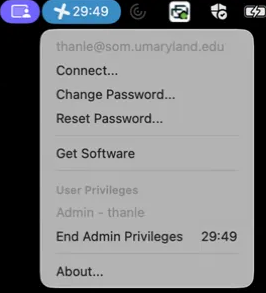
  2. When requesting admin privileges select the Jamf Connect Emblem, a drop-down menu will appear and “Request Admin Privileges” will appear.
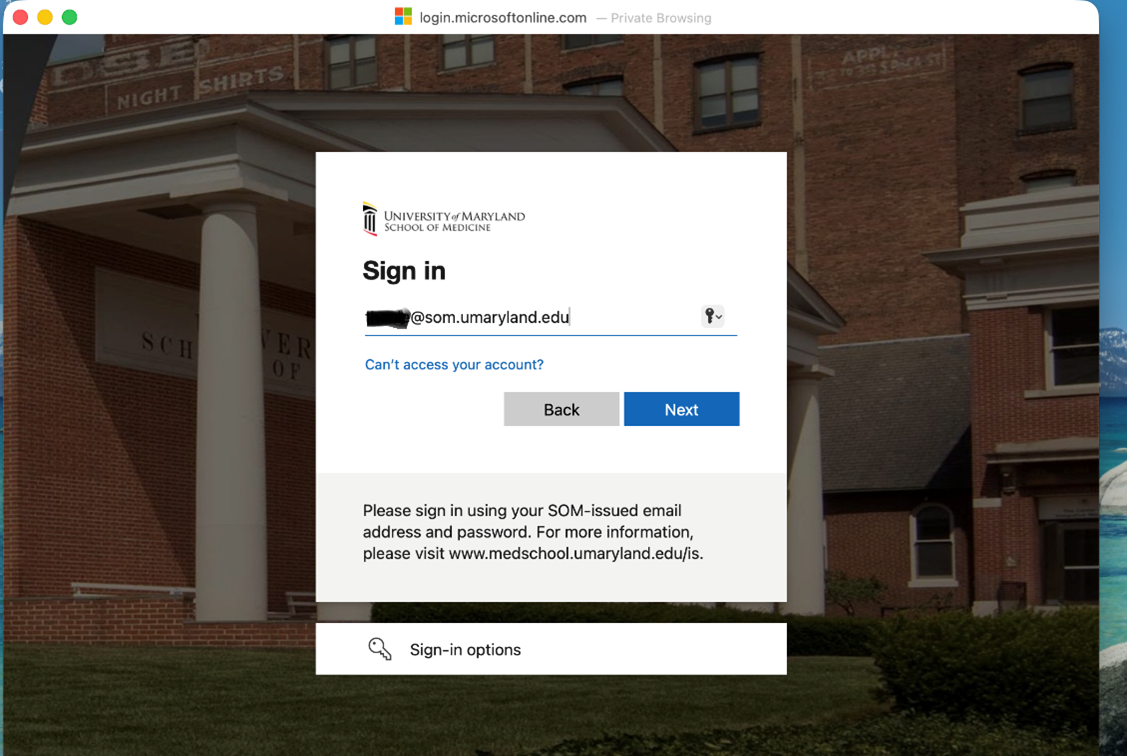
  3. You will be prompted for you SOM username and password to authenticate.
  4. You will be prompted to provide a reason for requesting administrative privileges. Please select one of the listed reasons.
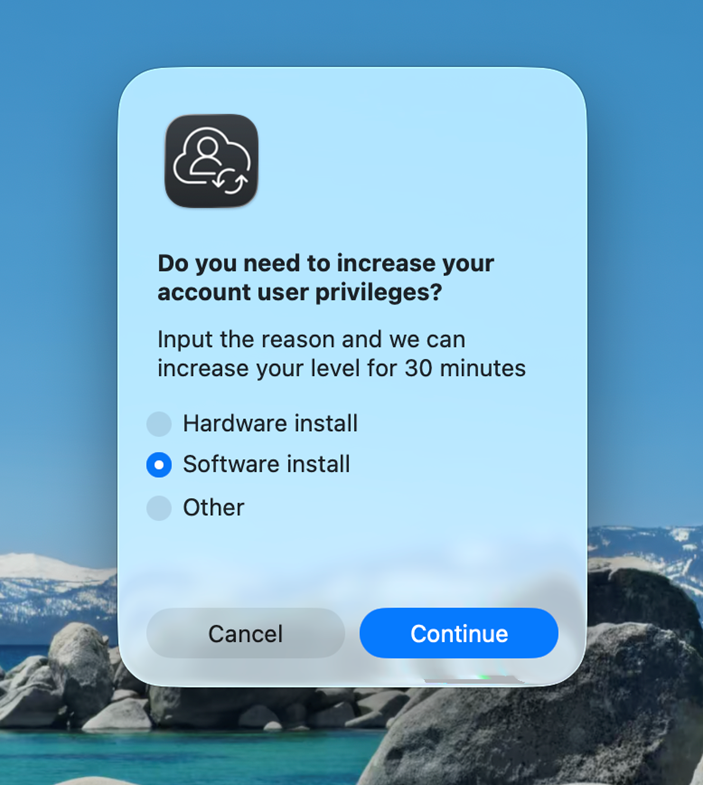
  5. Once the reason has been selected your 30 minute privilege elevation will begin. A timer will be displayed in the upper right corner of the desktop. Administrative privileges can be ended early by selecting “End Admin Privileges”.


    University of Maryland School of Medicine logo
    • Departments
    • Programs
    • Research Centers
    • Institutes
    • Graduate Education
    • CIBR Cores
    • Offices of the Dean
      • University of Maryland, Baltimore
      • University of Maryland Medical Center
      • Medical Alumni Association of the University of Maryland
      • Health Sciences and Human Services Library
    University of Maryland School of Medicine
    655 W. Baltimore Street
    Baltimore, MD 21201
    Contact Us

    © University of Maryland School of Medicine

      • Webmaster
      • Web Accessibility
      • Site Index
      • UMB Hotline
      • Employment
      • Map